
AI Dutching Bot..
What the? Come on spill the beans...
Video Runs 5 minutes.
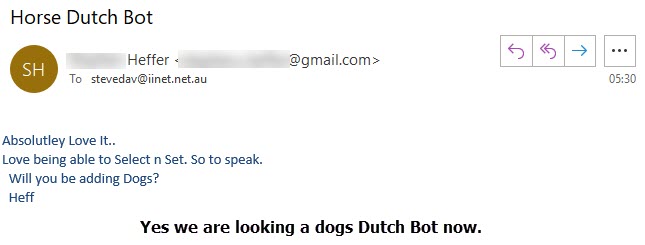
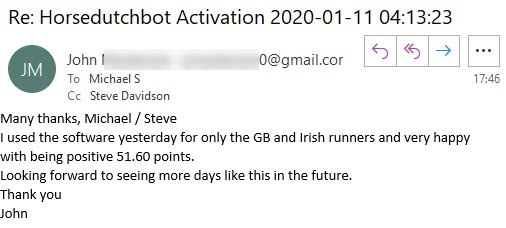
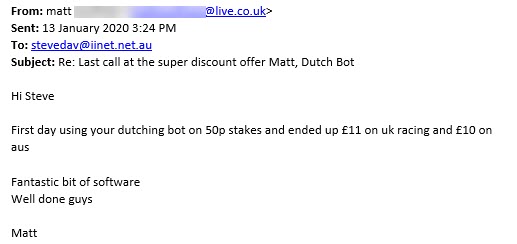
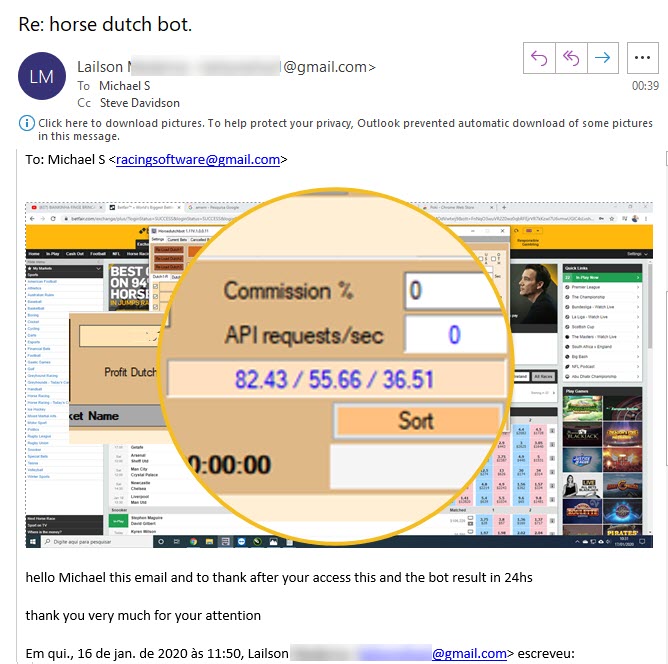
Feedback.
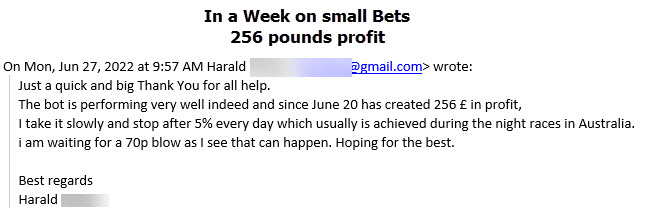
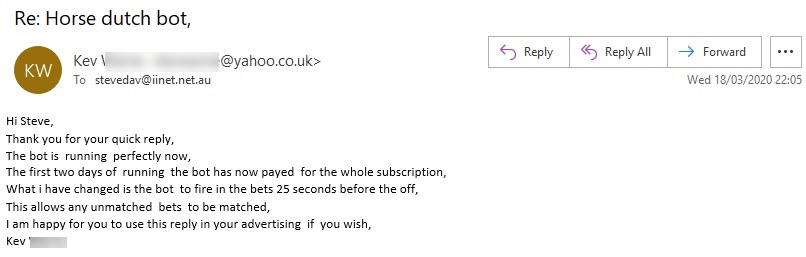
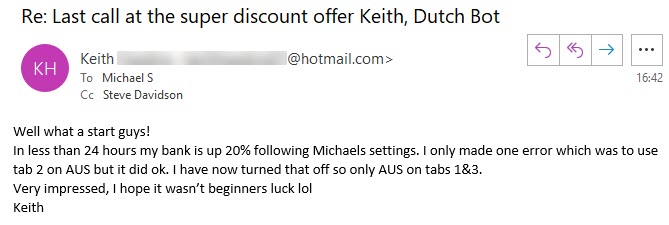
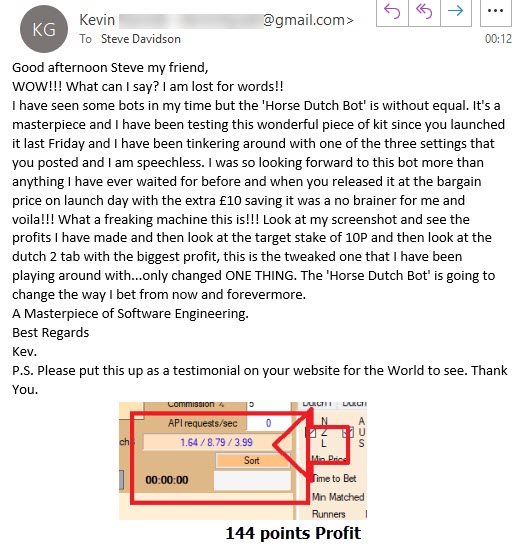
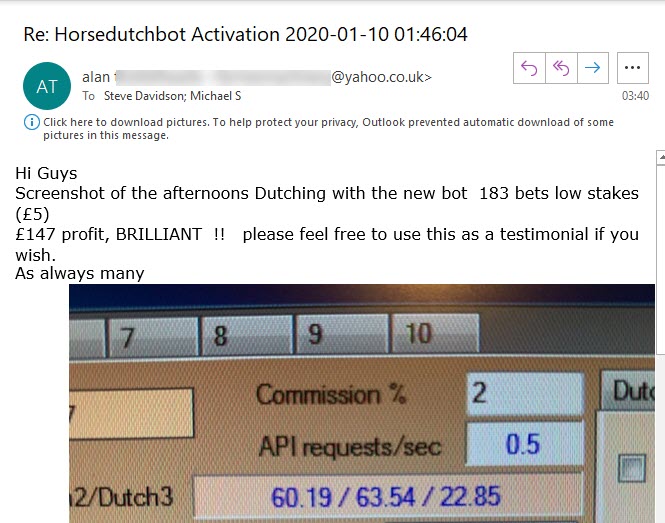
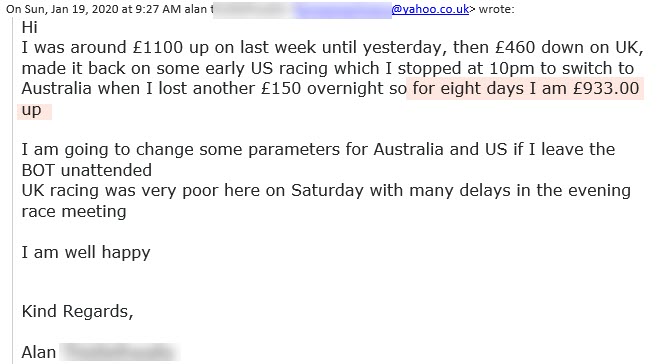
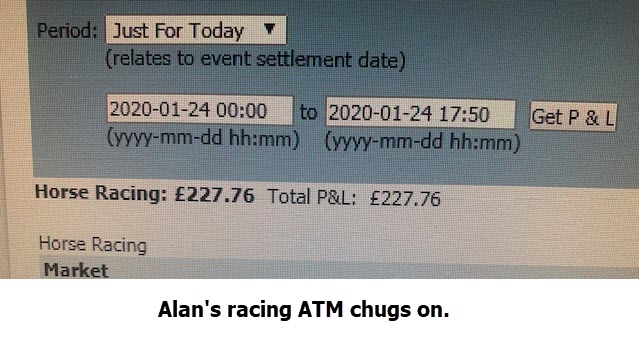
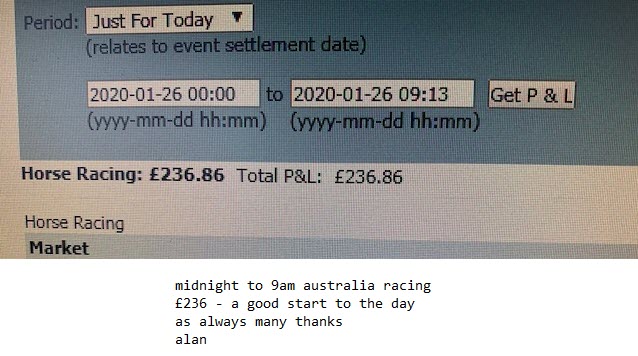
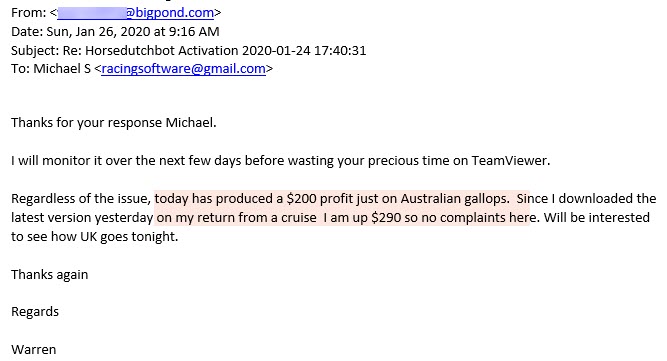
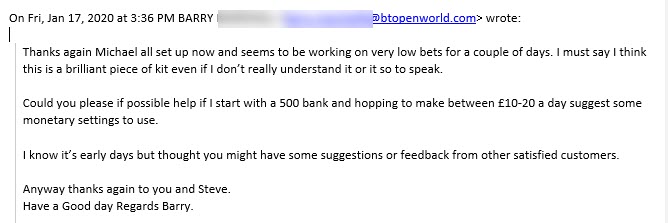
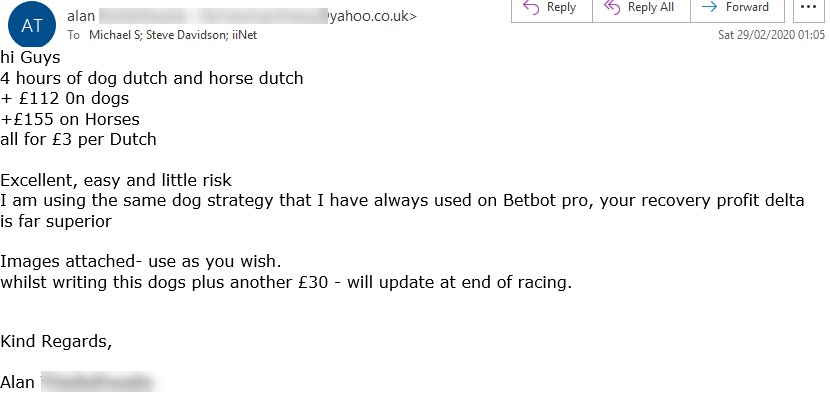
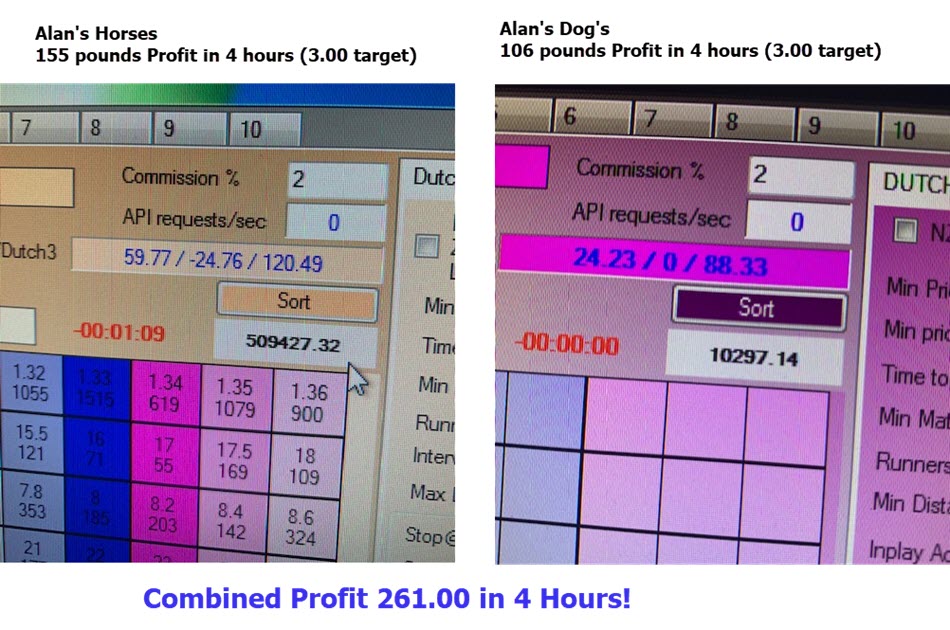
hi guys alan |
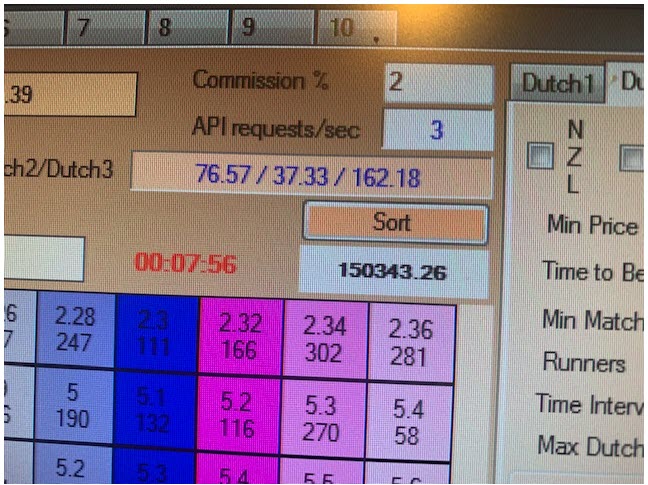
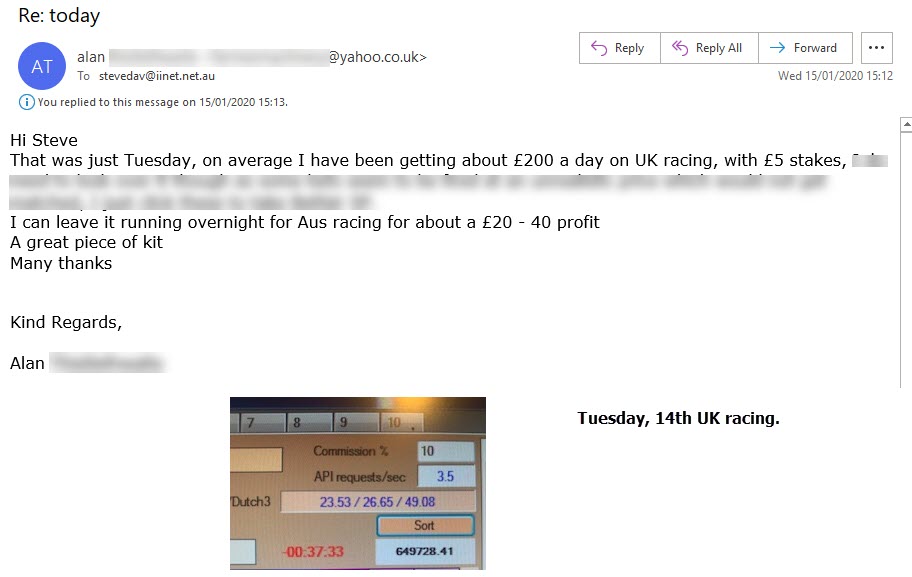
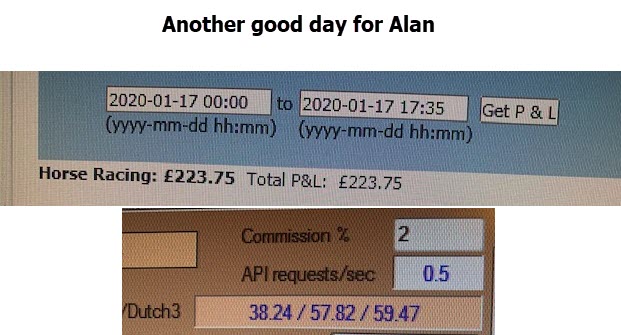
£275.00 in two days.
See the Greyhound Dutch Traps Click Here
Results analysis
Runtime 5 minutes.
 |
Artificial Intelligence (AI)This bot does the work, and it has 5 options, of which you can use 3 of them at the sametime. 4 of the options, the bot monitors the market and makes the dutches on auto pilot. Imagine, sitting at the PC, monitoring a race say 5 minutes before the start, noting all the prices, and then at say 20 seconds before the off finding the best price movers,and dutching them to make a nice profit. What you don't have time to do that plus you couldn't get all the bets on! |
Plus it stakes, to make the profit and recover staking also adding increase profit. If you want to bet the first three or four in the betfair market you can do that also. What about the 1st and 2nd fav and the two best firming runners, yes can do. Or just the 1st, 2nd, 3rd and 4th best supported horses in race, yip that can be done. OLD SCHOOL Approach. (No problem). You want to pick the horses to be dutched, yes you can simple drop down windows, and pop the target profit you want and bingo the dutch is down. The bot is reading the markets in advance of the race, even if you wanted to start reading the markets 30 minutes before the off you can, and get the result just before the race starts, and bang... the dutch is done on auto pilot.
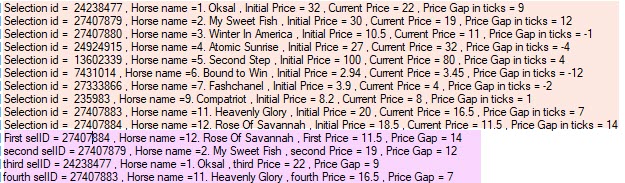
Above is an example of how the bot reads the markets.
|
 |
One thing became very apparent in testing bot was how entertaining dutch betting is. And without the hassle of having to manually place the bets, the racing suddenly became enjoyable again. See the bot displays all the happenings so you can see the bets going on in the Current Bet section, and in the log you can see the bot working at getting the bets placed, and you realise how hard the bot actually works to satisfy your instructions. So whether you are a racing fan, and in it for the thrill of the win, the entertainment package, then this will get a BIG TICK of approval. If you want racing to pay you, then once again this will tick the boxes, as it has so many strings to it bow. You can tune it like a car, getting it to be very specific or broad if you are hunting for action! |
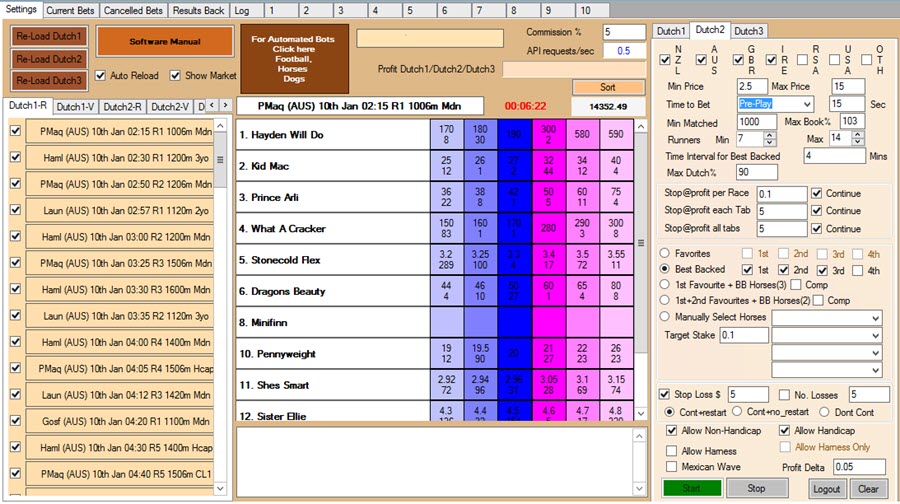
Below is what the Bot's interface looks like.
Under the Hood, how it works...
Runtime 9 minutes
Below are the results on the Final Version of The Horse Dutch Bot.
Use all three Tabs.
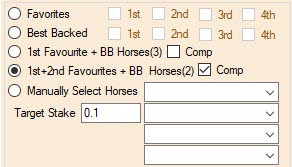
1. Dutch 1:The first two horses at the top of the market, plus the best backed 2 (4 horses per dutch).
2. Dutch 2:Using the Favourite first 3 in the Market. (Eg First Fav, Second Fav, and Third Fav) UK only
3. Dutch 3:Using the Fav and the next Best backed horses (3 intotal) price movement in the final 4 minutes on Betfair.
Below are two separate set of Results:.
We don't intend to update these results.
Because of the time involved, plus we want to look at other setting.
Plus we have other projects that need our time.
1. Australia Racing Only.
428.90 points 85 days
We are not using Dutch 2 on Australia (no reason just have not).
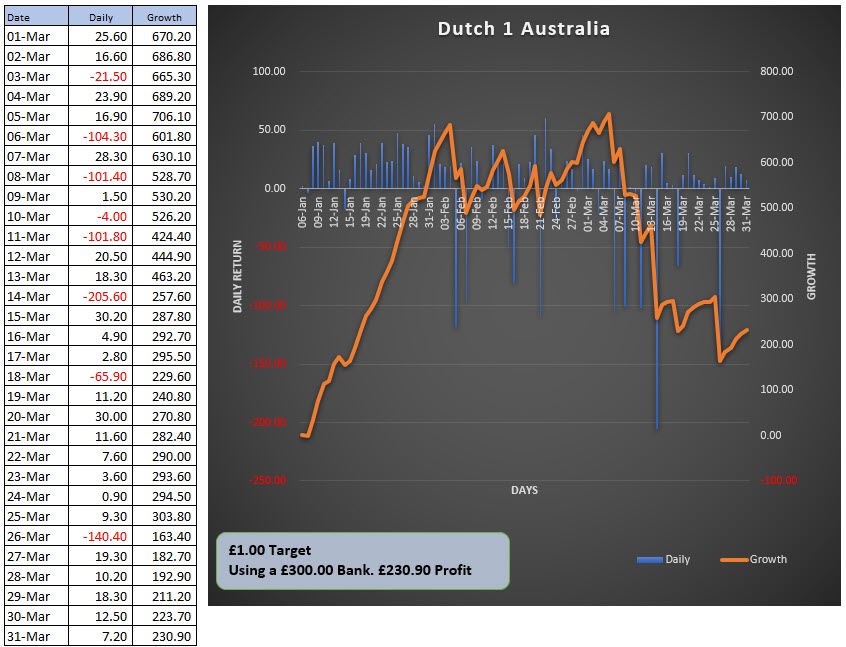
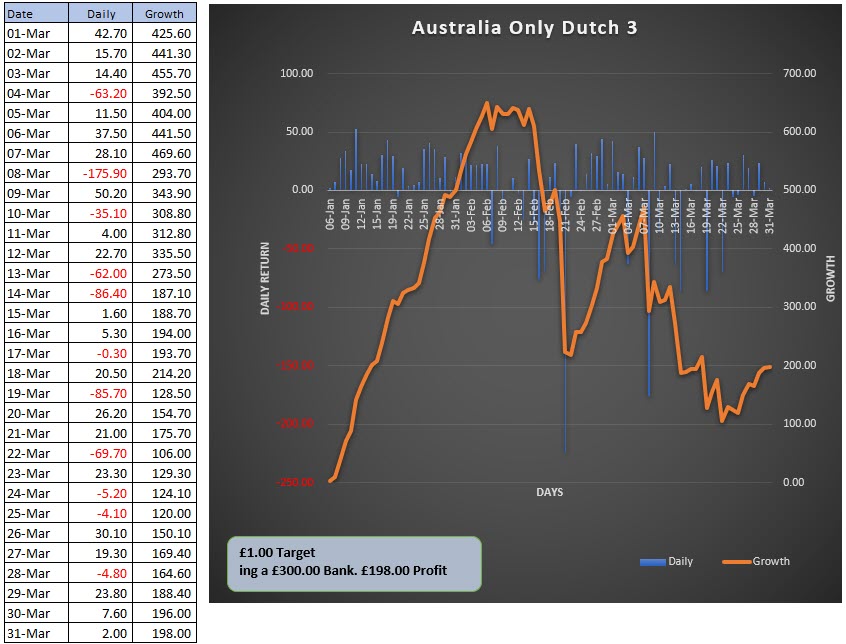
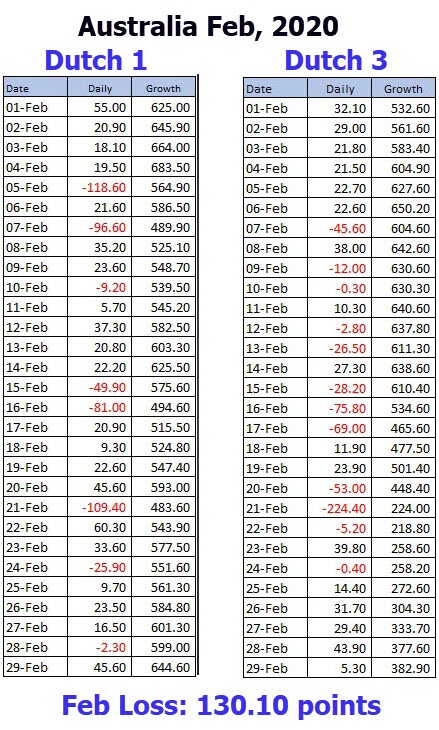
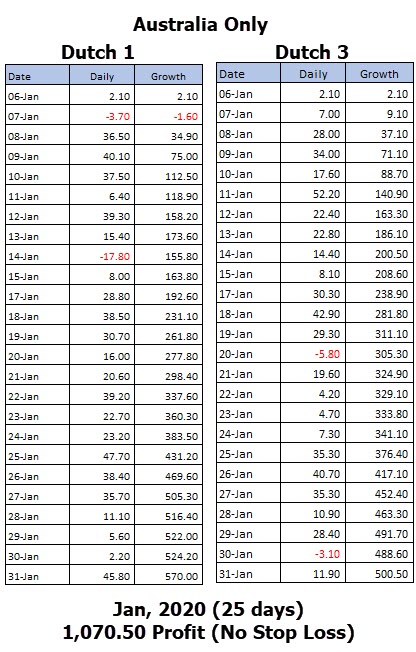 |
2. UK Racing Only.
Only want to Bet UK
313.23 points 60 days
Racing suspended as from 17 March due to COVID-19 restrictions imposed by UK Govt.
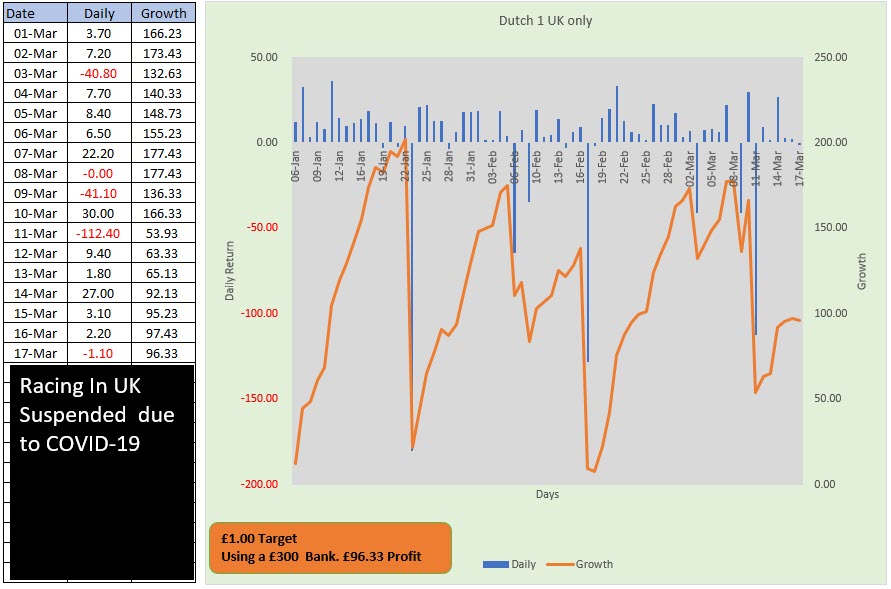
Bank Growth ended at 17th March 32.11%
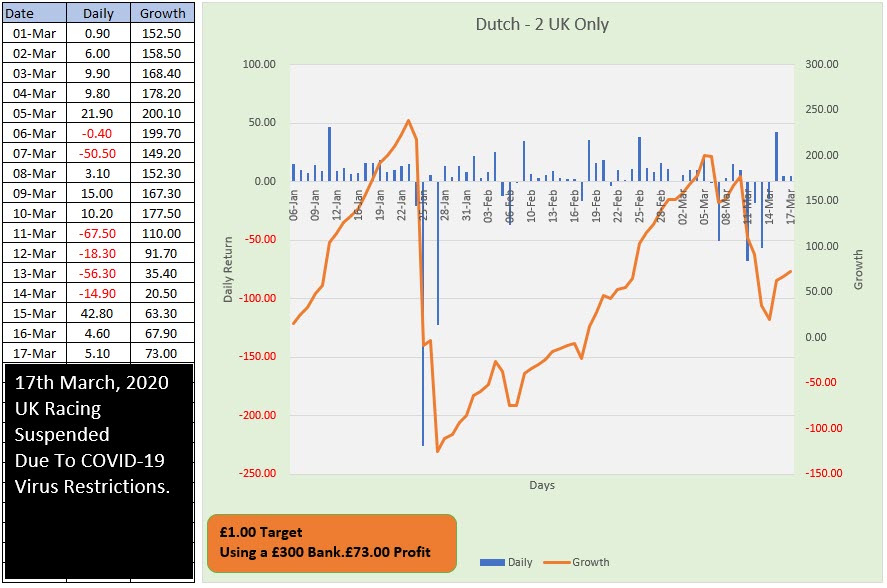
Bank Growth ended at 17th March 24.33%
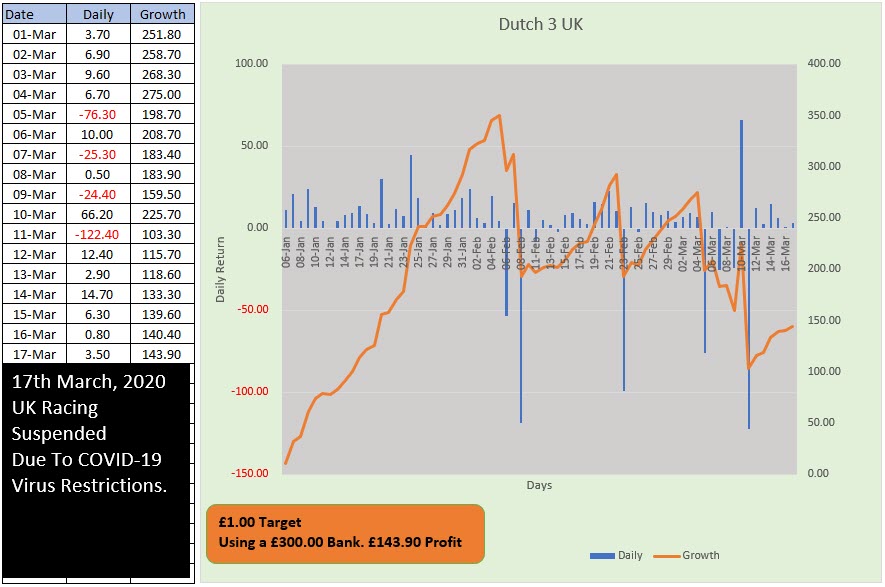
Bank Growth ended at 17th March 47.96%
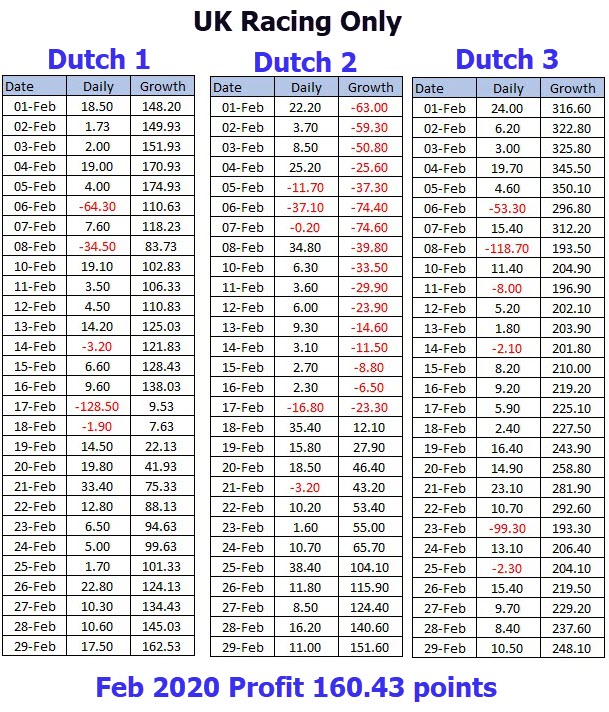
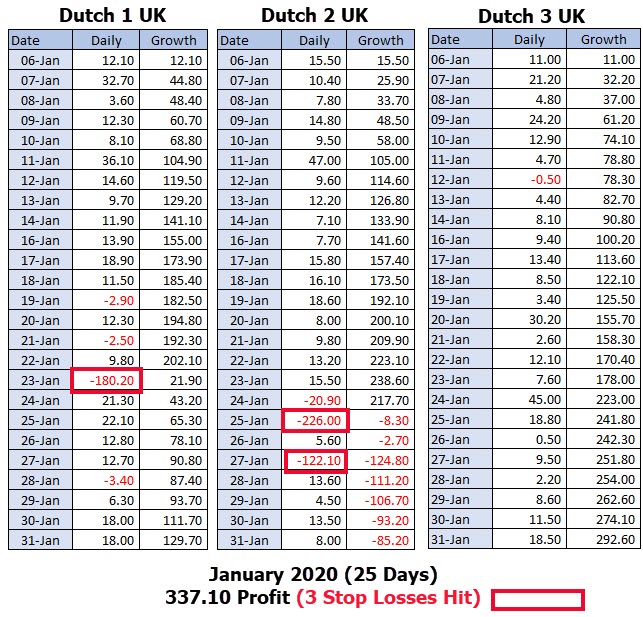
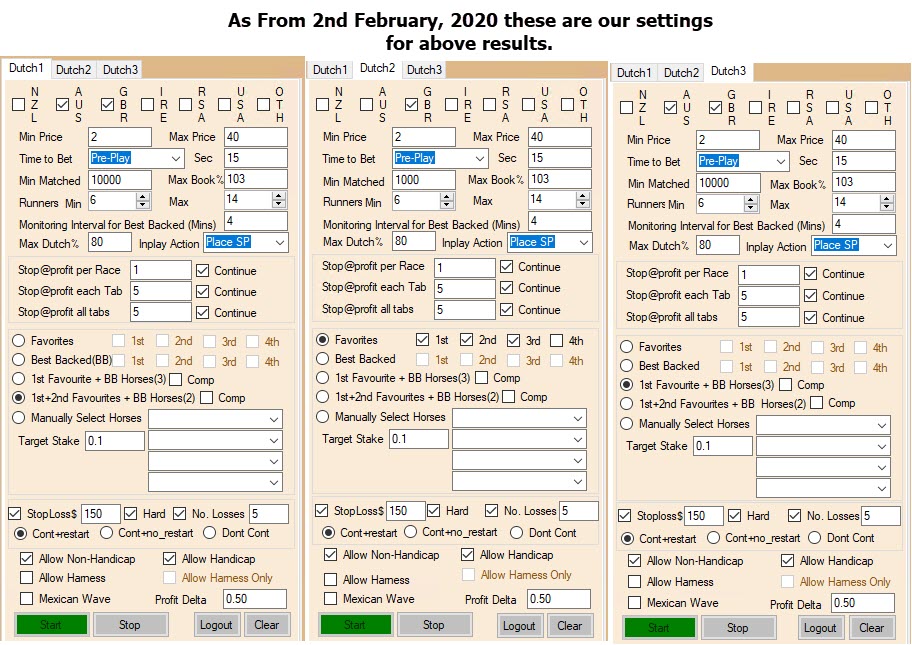
These are the settings these results have been obtained.
These are not recommended settings, they were only the ones we used in testing.
We encourage you to use your own knowledge to create your settings.
New Testing commences.
We are starting a new test on some revised settings on the one we are using below.
We will continue to monitor and report the Original setting, while comparing them to the
new revised one.
We have no results on these new ones yet, I am just letting you know that we are testing these new settings.
Setting adjustments. 1. Minimum matched to AUD 50,000 (£25,000), reason is to stop some of the smaller meetings being bet (in Australia) where the horses are of poorer quality. 2. Minimum Runners 8 (see too many 6 horse field throw upset results) 3. Maximum Runners 12 (Less runners, less chance of runners not getting a fair run.) 4. Gap (+) unticked ( Reason not all winners are steamers, and that also means we get less horses in the dutch.) 5. The Stop Loss we have increased to 200 hard stop. 6. One Staking Tab at the top enabled only. (So race must be settled before new race is started to be monitored.) |
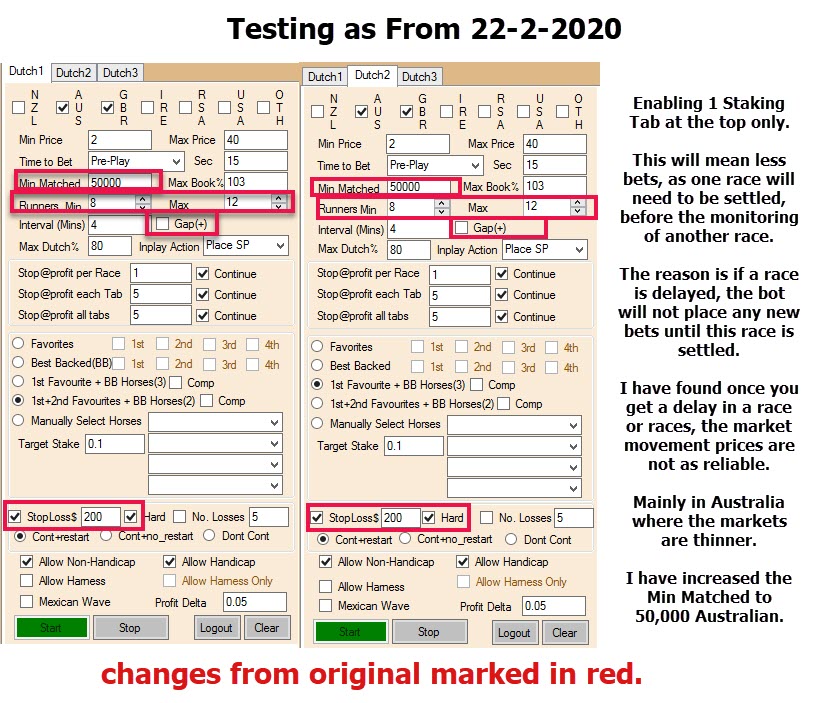
If you want to use Level Staking, make the No Losses Option set to 1.
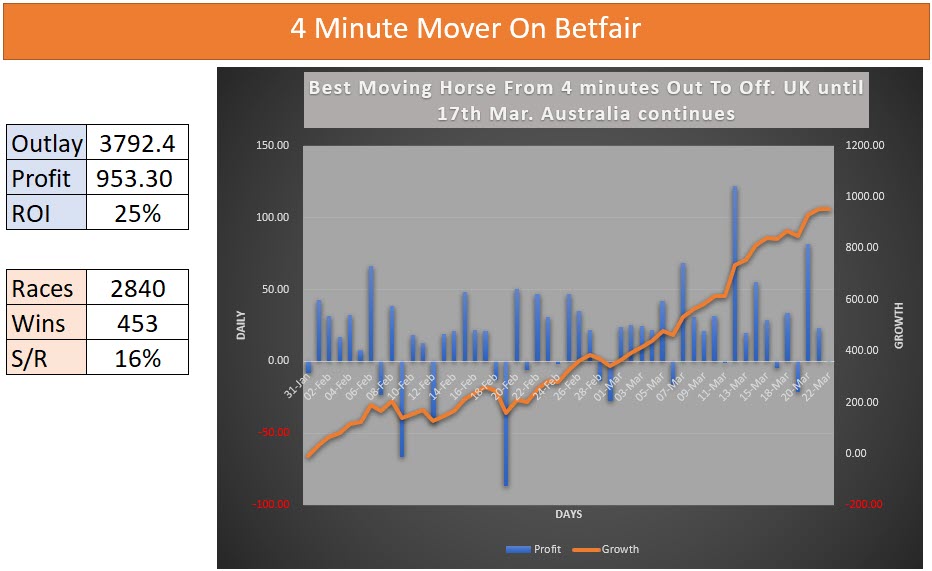
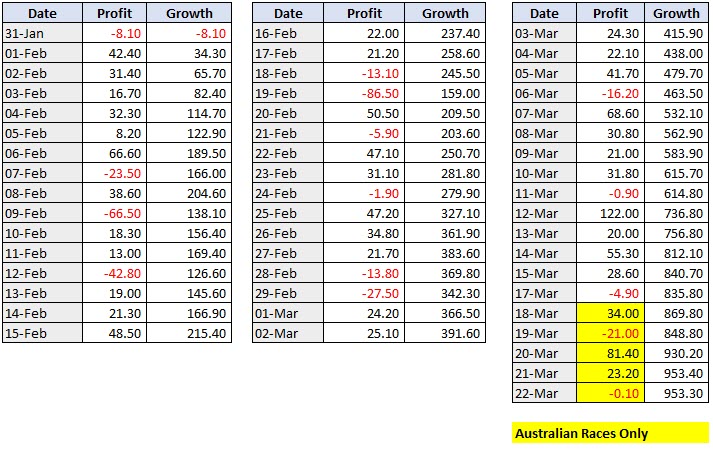
Another Strategy Looking at The Best Moving horse shorten before the Race.
Dutch Options within the Horse Dutch Bot
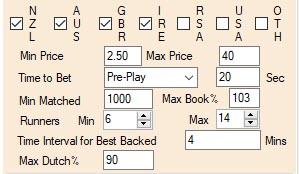
Time to Bet: This is when the bot will actual start placing the bets, so Pre Play means the bets are placed before the off (start). And you can see I am using 20 seconds. Minimum Matched: This is set here at 1000, however I would suggest at least 10,000 if doing New Zealand and Australia. UK & Ireland if do these the minimum can be 10,000 plus also as all races will be well into the hundreds of thousands. The more you increase the minimum matched the better the market accuracy. Max Book%: Obviously the closer to 100% the better, but 103% is a realistic mark. Runners; Min Max, this is how many runners must be facing the starter before the bot will consider the race. Don't go to low in runners as small fields often produce upsets. Time Interval For Best Backed: This instruction, is to tell the bot when to start monitoring the prices of the race, so it can judge the best supported horses, and it affects 3 of the options. The bot will monitor the priced (4 minutes as 4 is selected) from start, and then at the Time to Bet instruction (20 seconds in the above example). Best Back Option example shown:
In the above image we can see the field and the price gap from the 4 minute mark to the 20 seconds before the off. The yellow highlight shows the best four horses that have shorten, and are the ones the bot will bet. Max Dutch: This is the limit as high as the bot will allow, over 90% in this example the bot would not make the bet, to bet this high you would need an odds on selection (We recommend no lower than 2.00, I use 2.5 as my lowest.)
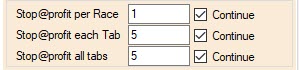
Stop @ Profit each Tab: The bot has 10 tabs, that are located at the top of the bot. These are where the dutch bets are held during the race, and if another race is starting to be monitored, then the next tab is used for the new dutch. It is these tabs, that this option relates to. Like in the example above (5.00), then once the profit in tab reaches 5.00 profit, if the box was unticked then that tab would not accept anymore bets, and if you only have Tab 1 enabled the bot would stop placing bets. In the example we have it ticked so it would ignore this instruction, and continue to bet. Stop @ Profit all Tabs: If this is unticked, then the bot will stop betting once the nominated figure is reached, on all tabs, so no more bets will be made until the bot is restarted. So if you say I want to make 10.00 for the day and then stop, you would put 10.00 in the box and untick it. If the continue box is ticked then, the bot will continue betting.
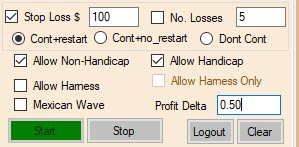
No. Losses, if we have this ticked then it will stop the series when you have had in this case 5 losses in a row. If you have both ticked Cont +restart: The bot will restart, to get the target and will not try and reclaim lost staking of previous bets. Cont+no Restart: Dangerous option, the bot will contine to try and get target and make a profit. (No reccommended). Don't Cont: If this is selected, the bot will stop and not make any more bets until the bet is restarted. These options are only for the Dutch that are associated with these instructions. Dutch1, Dutch 2 and Dutch 3 are separate from each other, so any instruction in these are for the specific to dutch The next set of settings are to do with Types of racing. Allow Non-Handicap: If ticked it will monitor and bet on Non handicaps. Allow Handicaps: If ticked it will monitor and bet on handicaps. Allow Harness: If you want to include Harness (trotting and pacing) racing (NZ and Australia) then tick this option. Allow Harness Only: If you only want harness races to be bet only then tick this option. Mexican Wave: This is an option that spreads the bets over the Staking tabs at the Top of the Bot.
If you leave the Mexican wave unticked, the bot will always try and place the bets on Tab 1, if this tab is occupied, it will move to the next available tab. Once a race is setted then the tab will be freed up. Until that happens the tab can not be used for another race. And that is the option we have used in our results. However if you have ticked Mexican wave, it will place the first bet in tab 1, and then the next in tab 2 and the next in tab 3 etc, once it gets to tab 10, it will restart at tab 1. The default version of the bot has all ten tabs at the top enabled.
Because if you have your time to monitor races set at 10 minutes, then at the ten minute mark one tab will then become occuppied, and if the race is a long one, then it is possible a tab is occupied for 20 minutes, and if you only have a few tabs enabled, you may find you have no available tabs to accept new races. Profit Delta: This is an option to make some extra profit if the first bet in a series loses. If you tick it and enter a figure, we recommend bet 10% and 50% of your original Target. If you have 1.00 as the Target the .10 to .50 is an acceptable profit delta. Here is how it works. Target is 1.00, this is what we get should our dutch win. If it loses, then we need to recover the staking loss, plus now we add .50 to the target: 1.00 + .50 (PD)= 1.50 New amount to win: Plus the staking lost on the first bet. If the second bet wins, we clear 1.50 profit, where if we did not have the Profit delta ticked we would have won only the 1.00 target profit. That should give you an overview of what the bot is designed to do. Sort Button. This is a magic button that arranges the field, in market order which is very handy, I love this button, shows the favs in an INSTANT! Level Staking Only? Yes, if you want to Level stake the dutches, all you need to do is set the Number of Losses to 1. So as soon as you have a loss, then the bot will not try to recover any lost staking.
What do I need to run this Amazing Horse Dutch Bot? This is a windows based bot, so you need a PC that has Microsoft Windows on it. Or you can use a VPS (Virtual Private Server) that is windows powered. This is the best way, because using a vps, means you can leave the bot running without you having to leave your own PC on. Plus you can access the vps on your smart phone or tablet. VPS are very inexpensive now, see Click Here To See Window 2 plan are presently at 6.99 euro a month, so very reasonable we have been using this company for two years now.
|
 then whichever happens first, will cause the series to stop and take the action you have set (see below).

 if you wish you can untick tabs if you only want a few tabs, but there is no real reason to do that.
What you may want to know.1. Do I need Windows? Yes, you need a windows powered PC to use the Horse Dutch Bot, however you can use a windows powered VPS, and then you can access the bot via your phone, tablet, MAC or PC. Yes, this is a separate purchase, at present you can get it for around 7.00 euro a month. See link above this for more on VPS. 2. Can I run all 5 options, at the same time? Sorry no, you can run 3 of them at most, as we have 3 Dutch Tabs. 3. Do I need Betfair account to run this Bot, Yes you do, as this bot reads the Betfair computers to access markets and place the bets. 4. Can I run mutliple copies of the bot on the PC or VPS? No, only one copy is to used as it will confuse staking etc if you open the bot twice. 5. Can I use level staking only? Yes you can, you do this by checking the No. Losses to 1, then it will not try and recover the lost staking. We have not tested long term how level staking will go. However at levels of 70% winning races, at minimum odds of 2.50 you should make money. 6. Can I pick and chose the tracks and races I want to dutch on? Yes you can, however you must untick Auto Reload, then you can uncheck the races an or tracks you want the bot to skip. 7. Will the bot get all the bets in the dutch placed? Most of the time, yes it will, however some horses, may not get backed if the price is falling and does not go back to the original asking price. The bot will keep bets and attemp to place them in running. In our testing most of the time all bets are place. 8. Are the settings you have on this site the best? No, most likely not, it is the three we choose to test that once the bot was completed, no doubt you will find better ways, with field, price etc adjustments. 9. Do I need the PC running for the bot to work? Yes you do, unless you are using a VPS (virtual private server) which is how we use it. 10. Can I get the bot on a monthly subscription? Sorry, no we have a 6month option or a 12 month option. 11. Can I run the bot on simulation mode? No, sorry however you can use small stakes will you find strategies that suit you. |

Licence is for 1 Computer Only.and 12 months use.Horse Dutch BotFor Window Based Computers Only.Can be used on Windows based VPS also.Limited Numbers
|
Licence is for 1 Computer Only.and 12 months use.Horse Dutch BotFor Window Based Computers Only.Can be used on Windows based VPS also.Limited Numbers
|
Licence is for 1 Computer Only.and 6 months use.Horse Dutch BotFor Window Based Computers Only.Can be used on Windows based VPS also.Limited Numbers3Grab Now For
|
Licence is for 1 Computer Only.and 6 months use.Horse Dutch BotFor Window Based Computers Only.Can be used on Windows based VPS also.Limited Numbers4Grab Now For$159.97Save $60.00Pay Only$99.97AUDAround 55 cents a day!! Bet these all year round.
|

If you don't accept this offer where will you be with your punting in a month from now? 2020-2025 © www.horsedutchbot.com Steve Davidson © 2020- 2025 Refund Policy We, as a merchant, provide both products (goods) and services (information) to our customers. If merchandise or products are ordered through a Direct Mail advertisement or via the Internet, the guarantee, if any, is included in the mailing, promotion or service description. Our advertising will also include the terms and conditions for refunds on any books, publications and/or systems purchased. |
Cheers

Steve Davidson